
What's New
What changed in each version of Yardmaster, newest first, with the guide for each.
New is something you can do now, Improved works better, Fixed was repaired.
- NewSigned-in readers of a Google sign-in Share can now copy its text to paste into an AI chat, or make a one-hour link their AI can read. Open the Reader menu on the page. If you own the Share, you can turn this off for it with the Allow AI reading switch in Access settings.
- NewFull Send lets one chat work without asking about anything, sensitive files included. Pick it from the arrow next to Allow, or from Chat permissions in the chat menu. Yardmaster warns you first, shows a red badge while it is on (click it to turn it off), and turns it off when the chat ends or the app restarts. "Allow everything in this chat" now says plainly that it still asks before passwords, keys and logins.Approve what your agents ask for
- NewAuthors can gate step-by-step Share sections behind checkpoint questions whose answers and locked content are sealed with PBKDF2-SHA-256 and AES-GCM so the answer never appears in page source.
- NewWhen a launch timer on a Share hits zero, Countdown Moment fires confetti for everyone who has the page open at the same server-synchronized moment, with a calm static celebration when reduced motion is enabled.
- NewThe new Pick a Date Share Kit builds time-zone-aware scheduling grids where participants view candidate windows in their own time zone, drag across slots to mark Free or Busy, watch the live group availability heat map update, and add the locked winning slot to Google Calendar or download its .ics invite.Every kind of Kit page
- NewThe new Debate Share Kit builds two-sided argument pages with collapsible claims, rebuttals, and source links, a private 1 to 10 agreement slider before and after reading, and a live How Minds Moved summary that shows how the arguments shifted the group without revealing individual slider positions.Every kind of Kit page
- NewRegistered the five Group Decision Share Kit types (
swipe,dates,debate,split,retro) and block schemas behind the in-progress gate. - NewEaster eggs and badges in Reader extras let authors hide small surprises in a Share and reward curious readers who explore the whole page with a browser-local Page Explorer badge.Reader extras
- NewCodex and Anti-Gravity sessions now get the rules you wrote for Claude: your CLAUDE.md, your House Rules and the project CLAUDE.md, with a short note that explains Claude-only words and with common key, token and password formats removed (do not keep secrets in these files). For Anti-Gravity, Yardmaster writes them where it looks for rules, in ~/.gemini/config/rules and in the project. Turn off Give Codex and Anti-Gravity my Claude rules in Settings to keep your own rules to Claude.Run sessions on Codex
- NewThe new Escape Room Share Kit builds locked puzzle chapters with riddles, codes, zoomable picture clues, and interactive jigsaw puzzles that decrypt the next room on solve and track team finish times on a live leaderboard.Every kind of Kit page
- NewPresenters can guide readers through any Kit report, dashboard, or page live from the presenter view with Follow Me smooth scroll sync, section jump pills, and a one-click Stop following switch.
- NewReaders can highlight favourite passages on any Kit page and toggle the Highlight heat map in the Reader menu to see which passages resonated most, showing aggregate counts only and never who highlighted what.
- NewA Share can now be a Murder Mystery Party (
mystery), with a public suspect roster, private character dossiers unlocked after Google sign-in, timed clue envelopes that unseal on the server, a live "Accuse the culprit" vote, and a final culprit reveal across all seventeen looks. - NewSign in once for every engine. Select a remote MCP server such as Mobbin in Agent Tools > MCP Servers and click Sign in for all engines. Yardmaster keeps the sign-in encrypted on this computer, and Codex, Antigravity and other agents that reach the server through Yardmaster all use it. An agent that needs a sign-in asks you with an Inbox card first.Install and update your tools
- NewTest every tool, on the MCP Servers view, connects to every server you turned on and shows whether Claude, Codex and Antigravity can use it: Ready, Needs sign-in, Failed or Not enabled, with the reason. It only lists tools and never runs one.Install and update your tools
- NewPersonal versions for Share Kit pages: publish one Share with private, capability-keyed personal greetings and sections for individual recipients (
#for=<key>) while keeping every recipient's name and section out of the public page.Reader extras - NewPublish interactive personality quizzes ("Which X are you?") with weighted choices, downloadable result cards, and a live community tally.Every kind of Kit page
- NewReader extras in Shares now include switches for Follow Me, Highlight heat map, Reading level dial, Personal versions, Easter eggs and badges, Checkpoint questions, Sticker wall and Countdown moment.Reader extras
- NewReading level dial in Reader extras lets readers slide between Explain like I'm 10, Simpler, Original, Detailed and Expert on devices with a built-in local language model, rewriting on-device with zero paid calls.Reader extras
- NewAdded anonymous mode to the Q&A response engine so Team Retro sticky notes and dot votes never store or return reader display names.
- NewTeam Retro Share Kit lets teams run sprint and project retrospectives on a single Share link with strictly anonymous sticky notes (even the page owner cannot see who wrote a note), live dot voting across columns, and action items with owners that carry into the next retro.Every kind of Kit page
- NewA Share can now be a Secret Santa gift exchange (
santa), with exclusion-aware derangement drawing at publish, sealed recipient reveal after Google sign-in, private gift notes, Wishlist Share links, and organizer redraws across all seventeen looks. - NewSplit the Bill Share Kit adds shared trip and group expense ledgers with integer-cent multi-currency expense tracking, stated conversion rates, per-member balance cards, and a minimum-payments settlement solver.Every kind of Kit page
- NewSticker wall & guestbook on Kit Shares: readers can pick a sticker and leave a short, friendly note at the bottom of a Kit page, with owner moderation to hide or remove entries.Reader extras
- NewPublish interactive Where Should We Eat (
swipe) decision decks where groups swipe Yes or Pass on places, movies, or custom picks and celebrate unanimous matches live.Every kind of Kit page - NewA Share can now be a live Trivia Night (
trivia), with a TV or projector host view, a phone buzzer and answer pad, server-held answers revealed on host command, and a live scoreboard across all seventeen looks. - NewMuseum / Walking Tour Kit (
walk) publishes self-guided walking tours and gallery audio guides with SVG route maps, numbered stop cards, "What to look for" highlights, reader-started audio guides with timestamped transcripts, and printable QR code placards.Every kind of Kit page - NewWedding / Big Day Kit (bigday Share type and bigday block) builds an interactive wedding or milestone weekend page with a printed invitation cover, encrypted Find Your Table seating lookup, meal previews, hotel and shuttle cards, guest song requests and a shared photo wall across all 17 houses.Every kind of Kit page
- NewThe new Yardmaster Guide is live at docs.yardmaster.io, with a Learn Yardmaster path, Yard Terms, a Fix-it center, and the published Privacy Policy and Terms.Welcome to Yardmaster
- NewShare Kit is now on for everyone: every Share an agent makes can be a designed page, from lessons, courses and calculators to recipes, trip maps, menus, events, podcasts and family trees.Every kind of Kit page
- NewKit pages can wear any of seventeen looks, carry your own logo and colors, and turn into one of eighteen themed worlds, including Ocean, Wild West, Halloween and Winter Holidays.Restyle a Kit share
- NewEvery shared page has a Reader menu to read it aloud, translate it, see the short version, ask the page a question or change the width, all on the reader's own device.Read a shared page your way
- NewYou can present a deck Share from your phone while your audience follows along on the same link.Present a deck from your phone
- NewReader extras let readers react to a section, see how many people are reading, print a QR poster, take a guided tour, play ambient sound, scratch hidden cards and remix the page; you choose which ones each Share offers.Reader extras
- NewThe Share Showcase is a gallery of more than 100 live sample Shares, one for each Kit, look, world and reader feature.See everything a Share can be
- NewPre-send fact check has a second model check the claims in an agent's reply against what the session actually did, before the reply reaches you. It is off until you turn it on, and each check uses your plan.Pre-send fact check
- NewDecision mode, off by default, has the agent explain each option of a real decision so you can weigh the pros, cons and costs before you pick.Answer agent questions in one click
- ImprovedHelper sessions an agent asks you to approve now run on the same engine, model and thinking level as the agent that asked for them. An Antigravity or Codex lead gets Antigravity or Codex helpers, and the approval card shows the Engine and Model each helper will use.Control Yardmaster from scripts (CLI API)
- ImprovedThe Create AI link box and the Google sign-in screen now say to give your AI the AI link (the address ending in /ai/ and a long code), not the page address, so an AI no longer lands on the sign-in screen.
- ImprovedGroup Decision Share Kits refine keyboard and pointer workflows across Where Should We Eat, Pick a Date, Debate, Split the Bill, and Team Retro: press R to review a finished swipe deck, use arrow/Home/End keys across candidate time slots, click or press Enter on member balance cards to filter shared expenses, close the expense drawer with Escape, and submit anonymous retro sticky notes with Cmd/Ctrl+Enter.Every kind of Kit page
- ImprovedGroup Decision Share Kits add print (@media print), forced-colors, reduced-motion, and power-user keyboard shortcuts across Where Should We Eat, Pick a Date, Debate, Split the Bill, and Team Retro: Home/0 deck shortcuts in Swipe, A/C quick-select in Pick a Date, numeric 1-9/0 stance keys on Debate sliders, and arrow-key navigation on Split member filter pills and Retro sort pills.Every kind of Kit page
- ImprovedWedding / Big Day (
bigday) and Museum / Walking Tour (walk) Share Kits add one-tap section quick-jump pills, live song and photo count badges with duplicate song detection, a full-size photo wall lightbox dialog, 10-second audio guide skip controls, and interactive tour visited tracking with deep-link copy buttons.Every kind of Kit page - ImprovedWedding / Big Day (
bigday) and Museum / Walking Tour (walk) Share Kits add interactive dietary menu and travel category filter toolbars with arrow-key navigation, audio-guide stop filters and live remaining tour time estimates, plus full@media print,forced-colors, andprefers-reduced-motionstylesheets across all 17 houses.Every kind of Kit page - ImprovedGit guardrails now reach past Claude sessions. Codex sessions that Yardmaster starts are covered, and an inbox notice appears if Codex ever stops running the guardrail (Codex billed through OpenRouter is not covered yet). Codex works in the project folder, so on a project sitting on main or master it can't edit files or commit until it makes its own worktree. Antigravity sessions are covered too, checked live in Antigravity 1.4.11, through a small plugin in Antigravity's own folder (the guide shows how to remove it). Sessions merged into main no longer leave empty merge commits behind.Build software step by step with the Dev Pipeline
- ImprovedParty and Game Share Kits add a live completion percentage pill alongside Escape Room lock icons, clickable question step dots in Personality Quiz, a Case Status strip in Murder Mystery, a broken wax-seal reveal state with one-click match summary copy in Secret Santa, and a live question counter with an urgent 5-second countdown indicator in Trivia Night.Every kind of Kit page
- ImprovedParty and Game Share Kits add arrow-key navigation across Escape Room jigsaw tiles and a Copy Escape Time button on victory, keyboard shortcuts (1-9, A-F, Arrow keys) and Copy Result on Personality Quiz, synchronized suspect accusation highlights in Murder Mystery, Your Match recipient badges in Secret Santa, and Player Pad keyboard shortcuts (B to buzz, 1-4 or A-D to answer) plus podium highlights in Trivia Night.Every kind of Kit page
- ImprovedPersonal versions now show a monogram avatar and a privacy chip confirming the note only appears in your link, while Sticker wall adds a live count badge in the Reader menu and a "You" tag on your own guestbook entries.Every kind of Kit page
- ImprovedReader superpowers add keyboard, screen-reader, and print polish across all eight tools: press Escape on the Follow Me pill to pause live presenter sync, use Left and Right arrows to cycle Sticker Wall stickers with short date stamps on guestbook cards, and get richer screen-reader labels and print-clean layouts across Highlight Heat Map, Reading Level Dial, Personal Versions, Easter Eggs & Badges, Checkpoint Questions, and Countdown Moment.Every kind of Kit page
- ImprovedFollow Me now shows the presenter active section title in the follower pill, Highlight heat map adds a live passage summary, Badges and Checkpoints show step progress bars and counters, and Countdown Moment adds a replay action.
- ImprovedSessions an agent starts now run on the same engine, model and thinking level as the session that started them. A Codex or Antigravity session no longer quietly fans out Claude helpers, and the approval for a waiting spawn shows the Engine and Model it will use.Control Yardmaster from scripts (CLI API)
- ImprovedWorkstream progress now stays accurate: tasks and phases complete themselves when their steps are done, agents can add steps as they find them, and a busy agent gets a gentle reminder mid-turn. If a bar falls behind a session that is still working, it now says so.Watch a long piece of work progress
- ImprovedAnti-Gravity sessions now work in their own copy of a git project, can start and message other sessions, and remember the conversation between messages.Run sessions on Gemini or Anti-Gravity
- ImprovedWhat's New now lists the changes week by week, newest week first, with the highlights of each earlier version below.Changelog
- ImprovedAnti-Gravity sessions can pick a model, show replies as they are written, continue the same conversation, start other sessions and publish Shares, each in its own copy of the project.Run sessions on Gemini or Anti-Gravity
- ImprovedOne Google sign-in now opens every company-only Share that lets you in, for 72 hours.Choose who can open a share
- ImprovedEvery started session now names its model in the header, even when it uses the default.
- ImprovedSettings > Diagnostics now has Send usage numbers and Send error reports switches that really turn those reports off, and crash dump files are never uploaded.Privacy and your data
- ImprovedThe warning about money or deleting now appears on every way of approving a request, with Cancel selected first, and Safe Mode now stops everything that runs on its own.Approve what your agents ask for
- ImprovedTaps on a paired phone, such as Allow or sending a message, now reach your computer right away even when it is busy.Answer your agents from your phone
- FixedShare tidying no longer sends the text of Shares that need a Google sign-in to an AI. It already skipped password-protected Shares, and now treats Google sign-in Shares the same way.
- FixedAnti-Gravity sessions no longer stop every turn after 10 minutes. A long job now runs to the end, the same as Claude and Codex, and if a turn ever does hit the time limit it says so instead of looking finished.Run sessions on Gemini or Anti-Gravity
- FixedWhen your internet is down, Anti-Gravity now says it could not reach Google instead of saying you are not signed in.Run sessions on Gemini or Anti-Gravity
- FixedUndoing a restore now saves a copy of any file you changed after the restore, so it never loses your later edits.Back up everything to a folder
- FixedA plugin the Marketplace withdraws for safety is now switched off on your computer, never deleted, and its card tells you why.Add features with plugins
- FixedTurning off Enable Cron Jobs, Enable Recipes or Enable Drip now stops their scheduled runs.Run a cron job on a schedule
- FixedDeleting a project now ends Prospector's work on it, while its past digs and ideas stay saved.Find improvement ideas with Prospector
- FixedConnecting a Google account for Gmail, Calendar, Drive or Sheets now says Not available yet while Google reviews the app, and Telegram is hidden until it works.
- FixedThe delete account warning now says exactly what is removed and what is kept.Sign in to Yardmaster
- FixedAnti-Gravity sessions can use their tools again and no longer say you are signed out when you are signed in.Run sessions on Gemini or Anti-Gravity
- New
- NewA Share can now turn on Auto-refresh, so people who have a live dashboard open see each new version on their own within about 30 seconds.
- NewA Share can be set to Google sign-in, so it opens only for people from the email domains you list, or for people you name one by one.Choose who can open a share
- NewAgents in every engine that runs on your computer, not only Claude, can now show pictures right in the chat.Talk to your agent
- NewA new Claude Code plugins page shows which plugins are installed and which ones each session loaded, and warns you when a mod runs in a session nobody is watching.Add features with plugins
- NewStats has a new Reliability tab showing time lost, retries, API errors and the tools that fail most.See what your agents cost and how you work
- ImprovedThe usage menu in the title bar now has a tab for every AI engine you have switched on, and the Gemini tab shows how much of each model is left and when it resets.
- ImprovedIn the Browser, a site that wants your camera, microphone, location, notifications or screen share now has to ask you first, and is blocked if you do not answer.Use the built-in Browser
- ImprovedOpening a session's progress tree now takes you straight to the task being worked on, and a plan that is truly finished reads 100%.Watch a long piece of work progress
- ImprovedEach account can now store up to 5 GB of Shares.
- ImprovedA session you return to within about an hour restarts on the same Claude account, so it picks up quickly and costs less.
- ImprovedThe Skill Overhead notice now also points out skills that are broken and that Claude quietly skips.Manage your agent skills
- FixedWhen Google refuses to run the Gemini command line tool on a personal Google account, Yardmaster now says so plainly and points you to Anti-Gravity or a Gemini API key.Run sessions on Gemini or Anti-Gravity
- FixedAn automatic message, such as one from another session or an automation, now waits for a busy Claude session to finish its turn instead of cutting it off.
- FixedLong sessions that wake up on their own after background work are no longer stopped at the four hour mark, and sessions Yardmaster restarted itself no longer wait at the Resume anyway banner.
- FixedThe light and dark switch on a Share now recolors pages written by hand in HTML too, not just the frame around them.
- FixedA paired phone can no longer open a sign-in window on your computer; only the computer itself can start one.Answer your agents from your phone
- FixedClicking a file or folder an agent mentions in chat now opens it far more often, even when the agent worked in another folder.Talk to your agent
- FixedThe two Grok choices now have different names, Grok Build and Grok (local proxy), so you can tell them apart.
- FixedDiagrams in chat and file previews show their label text again.
- FixedThe correct password unlocks a protected Share again.Choose who can open a share
- FixedA message sent to a session while it restarts now reaches the agent, and a held message is never reported as delivered.
- FixedThe one-click support bundle no longer includes raw memory dumps, so private text stays on your computer.Report a problem or ask for help
- New
- NewA Share series can now have a Full build homepage, an original page written after reading the series in full, next to the Quick and AI-designed choices.Keep dated pages together in a series
- NewEach PR card in the PR Merge Queue can start a Review with agent or a Fix CI session, only when you click.Merge pull requests with PR Merge Queue
- NewSweeps has new Pull requests and Jira tabs that sort every item into color-coded groups, with one-click actions, short AI summaries and a note on what changed since the last pass.Catch up on Confluence and Jira with sweeps
- NewThe new My work tab in Sweeps gathers your pull requests, Jira tickets and meeting items into one list ordered by how soon they need you.Catch up on Confluence and Jira with sweeps
- NewYou can give one chat its own permission level, for example Full trust for that chat only, without changing every other chat.Choose how much agents do on their own
- NewPictures that an agent saves on your computer and puts in its reply now show right in the chat.Talk to your agent
- NewVery large Claude sessions now pause an automatic restart that would be costly and offer a fresh session with a handoff note, and Stats has a new Cost by cause tab.Keep long sessions affordable
- NewClaude Sonnet 5.5 and Claude Haiku 5.5 are available, and every model now shows a friendly name across the app.
- ImprovedThe PR Merge Queue shows real CI results, a clear Ready to merge status, an All repos view, and a Merge on GitHub button that always asks first.Merge pull requests with PR Merge Queue
- FixedYardmaster always tells Claude Code which approval mode to use, so a session never approves its own actions without asking you.
- FixedOn a Mac, Yardmaster now reads free memory correctly, so it no longer slows down work because it thinks memory is almost full.
- FixedFixed a memory leak in the codebase stats scan that could make the app crash every few hours.
- New
- NewMy Automations now lists every scheduled job, recipe schedule, sweep, rule, drip, alarm and scheduled message in one place, with tabs for what needs attention and what runs next.See everything that runs on its own
- NewStats has a Usage breakdown drawer that shows cost by model, spend over time, and where it went by project and by main session or subagent.See what your agents cost and how you work
- NewPictures in a full-screen share open in a built-in viewer, and pop-ups pinned to the screen now open where the reader is looking.
- ImprovedA Review suggestions button sits at the top of the Shares sidebar while tidy suggestions are waiting, and a report that keeps growing gets one suggestion card instead of many.Combine and tidy your shares
- ImprovedThe Confluence and Jira sweeps use a reading layout: a list, a wide reading panel and a status column, each resizable.Catch up on Confluence and Jira with sweeps
- ImprovedThe PR Merge Queue and Reviewer show only your own pull requests by default. Seeing everyone's is a choice you make for each repository.Merge pull requests with PR Merge Queue
- ImprovedWhen the spam filter asks AI for help, it no longer sends the sender's full phone number or email address.Text from Yardmaster with your Android phone
- ImprovedSearching Settings for an exact keyword now finds that setting before names that only look similar.
- FixedStats no longer inflates cost, tokens and LLM Time for long Claude sessions, and your past sessions are recalculated automatically.See what your agents cost and how you work
- FixedThe Typing Speed card in Stats shows your typing speed again, and a failed refresh in Stats now says so instead of showing older numbers.See what your agents cost and how you work
- FixedCodex sessions no longer stop with a Reconnecting error when the connection drops for a moment.Run sessions on Codex
- FixedThe credential check after a restore keeps an item on the list when it cannot confirm it is fixed, instead of marking it healthy.Fix sign-ins after a restore
- New
- NewSelect two or more shares and choose Combine to fold repeat copies of a report into one link. The newest share keeps its link, and every older link forwards to it.Combine and tidy your shares
- NewCombine can also make a series: one link that keeps every share as a dated page, with a list of dates down the side.Keep dated pages together in a series
- NewOnce a day Yardmaster can suggest shares to combine. It asks before it first looks, and nothing is combined until you approve a suggestion.Combine and tidy your shares
- NewAfter you combine shares, a new share that clearly belongs with them joins by itself with Auto-join, at no cost, and you can undo it.Combine and tidy your shares
- FixedA new series no longer takes an expiry date from its reports, so it stays until you give it one yourself.Keep dated pages together in a series
- New
- NewClaude Opus 5.5 is available, and new sessions start on it at Medium effort so short replies come back quickly. A changed effort level now applies from your next message.Choose your AI engine
- NewWhile Claude writes a reply, a line under it now shows the step it is on with a timer, and a session that goes silent is marked Not responding with a Restart button.My agent stopped responding
- NewThe MCP Servers panel now marks a server that keeps failing to start with a red Failing badge, and one that keeps needing a login with an amber Sign in badge.Install and update your tools
- NewYou can sort your shares into folders and colored tags, by dragging or with Move to, and Undo puts things back.Organize shares with folders, tags and collections
- NewThe Shares panel has its own Settings view, behind the gear button, for the defaults of new shares such as their look, access and alerts.Find and manage your shares
- ImprovedJira sweep rows are colored and sorted by lane (to do, in progress, in review, shipping, blocked, done) with a filter bar, and opening a row shows the ticket's description and latest comments in place.Catch up on Confluence and Jira with sweeps
- ImprovedOn a wide window the Sweeps panel shows its findings beside a side column with what needs you, what was spent today and each sweep's health, and a pass that is still running says so.Catch up on Confluence and Jira with sweeps
- ImprovedThe progress strip for long work shows up more often, can go one level deeper and says plainly when a step is waiting on you, and an agent that goes quiet with its plan unfinished gets one automatic check-in.Watch a long piece of work progress
- ImprovedOn a wide screen the Shares detail pane shows the share itself on the left, with its title, actions and settings in a column beside it.Find and manage your shares
- FixedWhen your Claude Code is too old for the chosen model, Yardmaster now says so and how to update, instead of retrying the request over and over.Install and update your tools
- FixedMany sessions sharing one Claude login no longer stop in waves with a revoked sign-in error.
- FixedMCP servers started with npx no longer fail in projects npm cannot read, and the MemPalace memory tools start in every session again.Give your agents a memory of past sessions
- FixedSend Feedback from the bug icon works again and reaches the people who make Yardmaster.Report a problem or ask for help
- New
- NewYour Personal Corpus keeps short notes about how you work, so each new session already knows your preferences; you can see, search, write and remove them in its panel.Let your agents remember how you work
- NewAn agent working through a long plan can now show its phases and tasks as it goes, so you can see how far it has got.Watch a long piece of work progress
- NewYou can update a live share in place and keep the same link, then compare older versions and roll back.Update a share without changing its link
- NewA collection puts several of your files on one page behind one link.Organize shares with folders, tags and collections
- NewEach share has an Analytics card with views by day and by country, plus an approximate count of readers.
- NewReviewer can pre-review your own pull requests, drafts included, and start an agent on your branch to fix what it finds after you confirm.Review pull requests with Reviewer
- ImprovedAn open share tab now notices when you revoke or update the share, and offers the reader a reload.Update a share without changing its link
- ImprovedYou can change the theme of one published share at the same link, and a live-updating session share now updates after each finished turn.Share a conversation as a link
- ImprovedTo protect your spending, two agents can no longer message each other in an endless loop, and a chain of agents starting agents is capped.
- FixedNewly published shares no longer show two scrollbars.
- New
- NewThe Team Corpus is now on for everyone: a shared list of facts your agents learned, with a Setup view for your workspace, projects, members and tokens.Share what your agents learn with your team
- NewProspector has an agent read a code project and write up improvement ideas, each with evidence and an impact, effort and confidence score.Find improvement ideas with Prospector
- NewReviewer lists your pull requests and review requests, drafts a review with AI when you ask, and posts only when you click.Review pull requests with Reviewer
- NewSweeps check your Confluence spaces or Jira projects on a schedule and tell you what changed and what needs you, within spending limits you set.Catch up on Confluence and Jira with sweeps
- NewShares can now be embedded in a blog post, a wiki or a doc.Embed a share in another page
- ImprovedCodex sessions offer the newer GPT models, each with the thinking levels it accepts, and Yardmaster now watches Codex for new models too.Run sessions on Codex
- ImprovedReaders can switch a published share between light and dark, and every link inside a share opens in a new tab.Share a file or page as a link
- ImprovedRevoking a share now takes effect at once, because share pages are never cached.Choose who can open a share
- ImprovedWhen an agent is waiting on background work, the chat shows one live line counting down its estimate instead of repeating the same message.Talk to your agent
- FixedOpen Settings buttons, such as the one on a coding tool that is not installed yet, now really open the right page in Settings.
- FixedMCP servers you installed for all projects now reach your sessions, including Codex sessions.
- FixedA session waiting for your approval is no longer restarted by automatic recovery.
- New
- NewWhen a new Claude model comes out, it shows up at the top of the model picker under Newly released right away, with no app update needed.Choose how Yardmaster gets your attention
- NewAdd Project can now browse and clone repositories from every GitHub account you are signed in to, not just the first one.Add and organize your projects
- NewThe Vault settings now list old search indexes left behind when you changed your notes folder, so you can remove them and free up space (your notes are never touched).Write and search your notes in The Vault
- ImprovedAn MCP server that fails to start now shows up in the manager so you can see and fix it, and broken entries from another tool's settings file are no longer imported.
- FixedSigning in to your Yardmaster account with Google now works on every copy of the app, instead of saying sign-in is not set up on this device.Sign in to Yardmaster
- FixedPublished HTML and React shares run their own scripts again, and full-screen shares no longer show a second scrollbar.Share a file or page as a link
- FixedA link you open from a published share now opens as a normal tab, so sites like GitHub load properly.
- FixedAuto-Continue Mid-Task no longer nudges an agent that has said it has nothing left to do, so you stop paying for empty turns.
- FixedThe Vault now skips the extra project copies Yardmaster makes for agents, and a very large notes folder can no longer crash the app.Write and search your notes in The Vault
- New
- FixedOn Windows, file pickers now open in front of Yardmaster instead of hiding behind it.
- Fixed
- ImprovedEvery screen and message in the app now uses the Yardmaster name.
- ImprovedYour settings and history move over to the Yardmaster name on their own the first time you open the app.
- Improved
- NewThe app now goes by its new name, Yardmaster.Welcome to Yardmaster
- New
Earlier versions
Before changes were listed by week, they were listed by version number. That history ends at v0.1.68.
v0.1.52 to v0.1.68
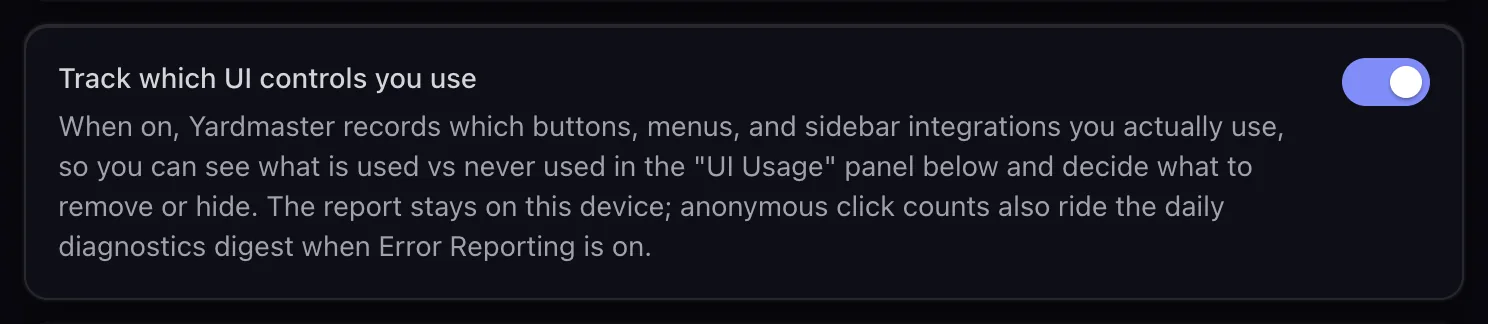
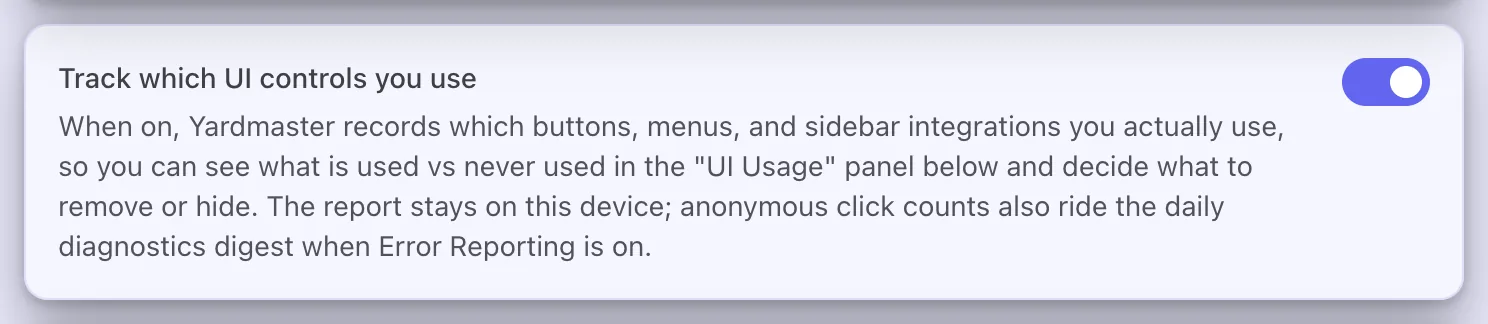
- NewUI Usage: Yardmaster can keep a private record, on your computer only, of which controls you click, and show you what you never use.See which parts of Yardmaster you use
- NewRecords: a trophy case of your all-time bests in Stats, from your longest session to the most sessions you have had running at once.See what your agents cost and how you work
- ImprovedPR Merge Queue gives each pull request that needs you its own line in the Inbox, so you can handle them one at a time.Merge pull requests with PR Merge Queue
- ImprovedThe session export menu is tidier: Export to Markdown, Export to PDF, and Export to Word and Export to Google Docs once you turn them on.Start and manage sessions
- FixedThe charts on the Stats Trends tab no longer cut off their date labels, and they show a value scale.See what your agents cost and how you work
- NewRepo Foundations: a "Set up this repo" card that adds documentation and agent rules to a repository after you approve a preview.PreviewAdd and organize your projects
- New
- NewLife Inventory: a 1 to 5 self-assessment inside AI Coaching, turned on with the AI Coaching switch in Settings > Lab.Preview
- NewLanguage picker in Settings > Appearance. English is the only language it offers today; more appear as their translations are finished.Arrange the window and text size
- NewPilot translations of the app into 17 languages, each behind its own switch.Since retired
- NewCode Search and GitHub Releases tabs in the sidebar.Since retired
- NewVoiceprint Studio, which built an email style guide in your writing voice.Since retired
- NewVoice History, a list of your past voice conversations.Since retired
- New
v0.1.51
- NewIf the Yardmaster window goes blank, a reload button appears in the middle so you can bring it back without closing the app. Your sessions keep running.Yardmaster shows a blank window
- New
v0.1.50
- NewYardmaster reports its own crashes, so they get fixed without you filing a bug. Turn it off with Send error reports in Settings > Diagnostics.Privacy and your data
- New
v0.1.40
- NewGoogle Docs Export: turn a conversation into a new Google Doc. It is off until you turn it on.Start and manage sessions
- NewAgent Instructions Sync: keep CLAUDE.md, AGENTS.md and the other instruction files of a project the same.Keep your agent instructions in one place
- NewPlain Speak: long agent replies can come with a short summary card, once you turn on the Plain Speak switch in Settings > Plain Speak (it is off until then). Press VVVV to switch between the card and the original.Read long agent replies in plain words
- NewDaily Digest: a short morning briefing on what your agents did.Read your daily and weekly briefings
- NewUsage Forecast: a warning before you run into your plan's usage limit.Know before you hit a usage limit
- NewStats: what your sessions cost and how you work, with Overview, Feature Usage and Trends tabs.See what your agents cost and how you work
- NewQuestion Widget: when an agent asks you something, answer with one click.Answer agent questions in one click
- NewProject documents: put files in a project's
.claude/docs/folder and every new session gets them.Give every session your project's documents - NewRun sessions on OpenAI's Codex.Run sessions on Codex
- NewRun sessions on Google's Gemini.Run sessions on Gemini or Anti-Gravity
- NewQuick Replies (once called Response Snippets): save replies you type often.Save replies you type often
- NewA project's right-click menu can start a saved recipe (Run Recipe), and keeps its file actions under Files and its icon under Appearance.Add and organize your projects
- ImprovedSearch: put words in quotes to find that exact phrase.Find a past conversation
- NewInbox Pilot, which used AI to sort your Inbox for you.Since retired
- NewBug Intake, which started a session for each bug report sent by email.Since retired
- New
v0.1.39
- FixedLong menus now fit on the screen.
- Fixed
v0.1.31 to v0.1.38
- NewPR Merge Queue: sort your open pull requests and start a merge session in one click.Merge pull requests with PR Merge Queue
- NewA recipe run's page shows a timeline of its steps.Watch, approve and resume a recipe run
- ImprovedRepoGuard checks more of what your code depends on.Check your code with RepoGuard
- ImprovedSettings search finds more settings, by more of the words you might use.Find your way around Settings
- FixedSeveral fixes that keep the Inbox in step with your sessions.See everything that needs you in the Inbox
- New
v0.1.20 to v0.1.30


- NewFocus Mode: hold back alerts and get them in a batch.Batch alerts with Focus Mode
- NewWeekly Summary: a Monday recap of your week. Today it is a weekly briefing in the Daily Digest.Read your daily and weekly briefings
- NewMemPalace: your agents remember what happened in past sessions.Give your agents a memory of past sessions
- NewSuper Prompts: start a session from a saved prompt.Launch a session from a saved prompt
- NewShare a conversation as a link.Share a conversation as a link
- NewBookmarks: keep links, files and sessions one click away.Keep links, files and sessions one click away
- NewEmail Summarizer: short summaries of long emails.Get short summaries of long emails
- NewRSS: follow blogs and news.Follow blogs and news with RSS feeds
- NewAsides: ask a side question without derailing the agent.Ask a side question without derailing the agent
- New
v0.1.4 to v0.1.19
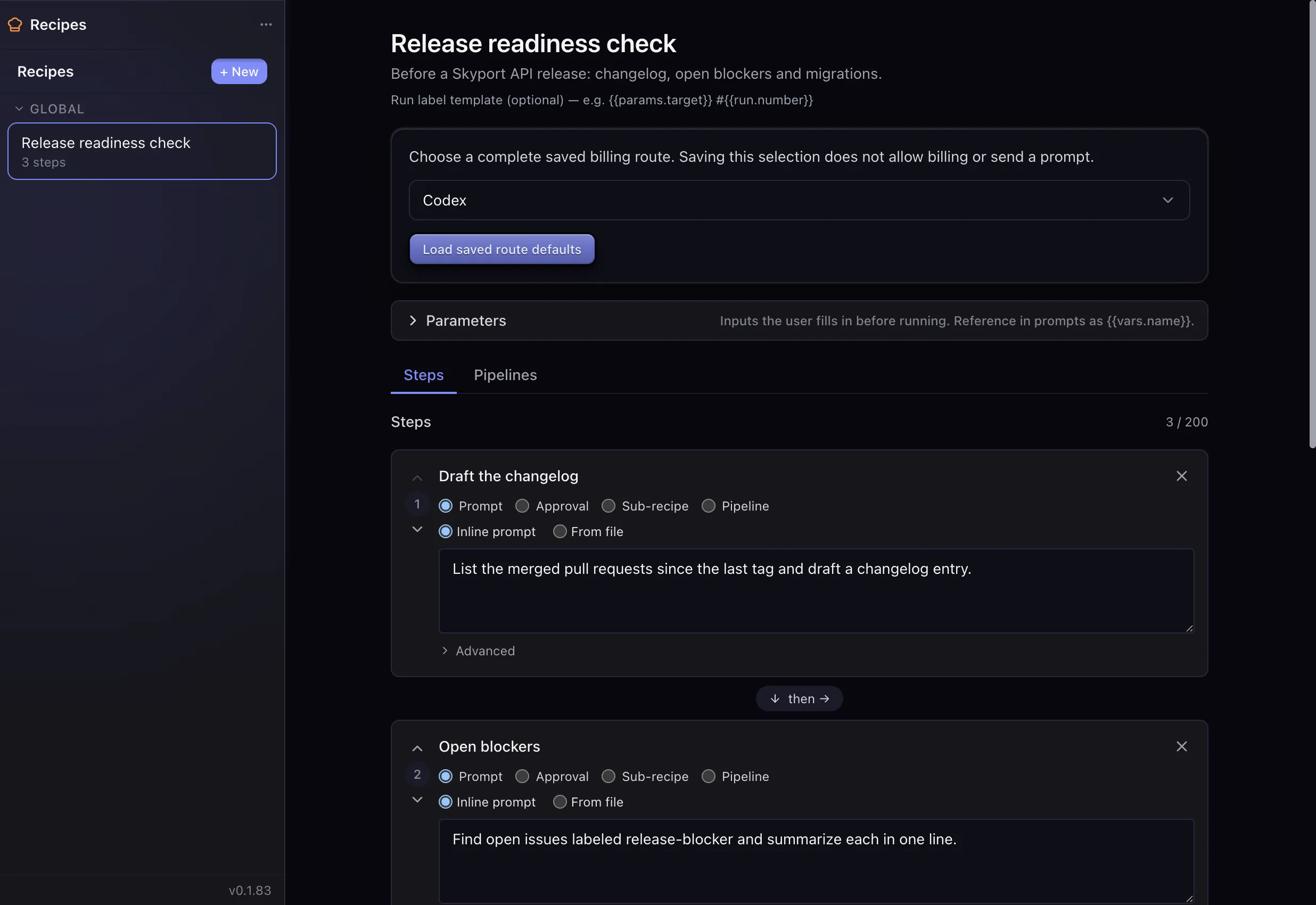
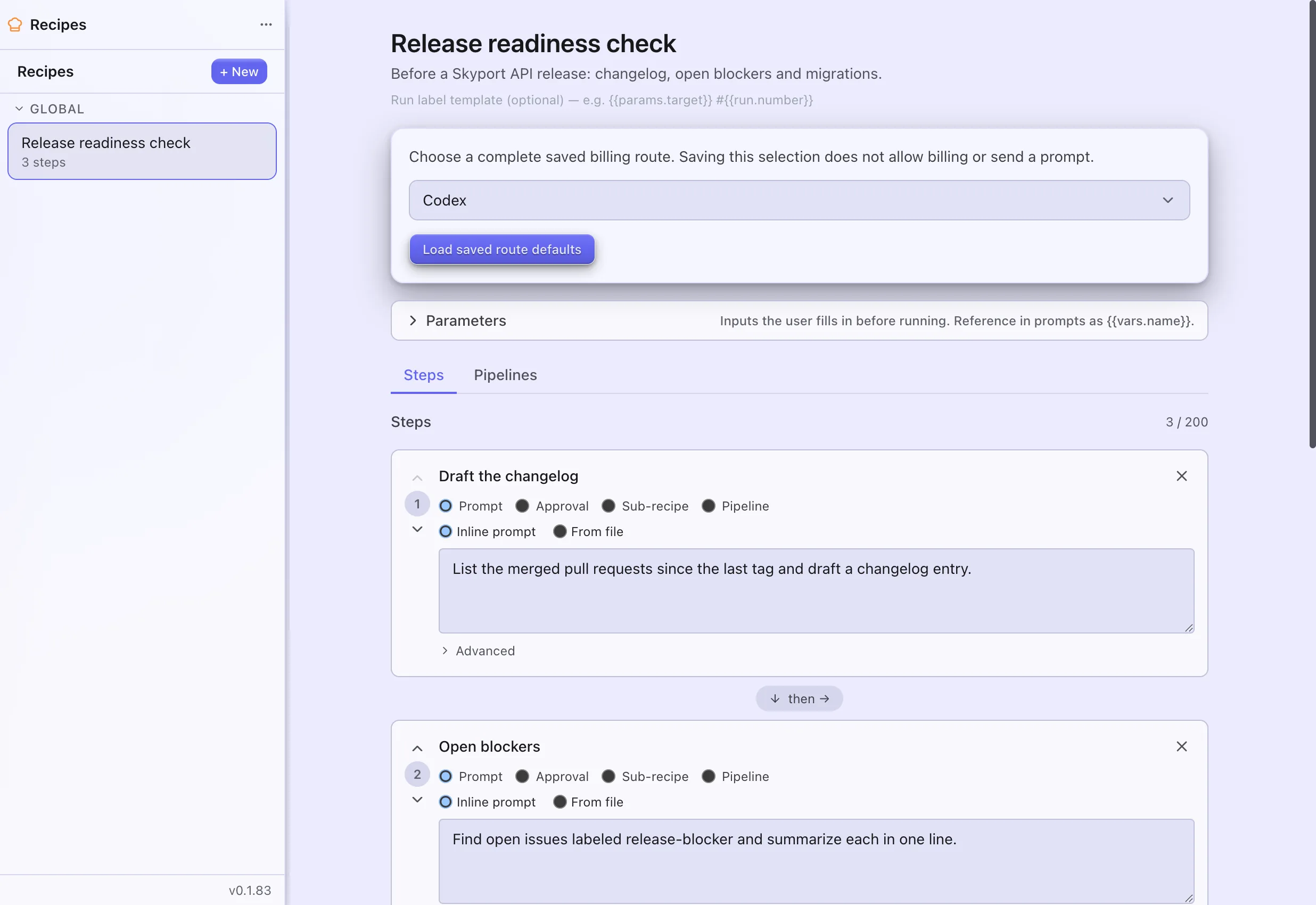
- NewRecipes: chain steps into one run, with approvals along the way.Chain steps into a recipe
- NewCron jobs: run work on a schedule.Run a cron job on a schedule
- NewAutomations: rules that act on your messages.Act on messages with rules
- NewVoice control, with a wake word.Talk to your agents by voice
- NewGmail in Yardmaster.Read and send email with Gmail
- NewGoogle Calendar in Yardmaster.See your Google Calendar in Yardmaster
- NewAgentMail: people can email your agent.Let people email your agent
- NewText messages (SMS). They first came through Twilio; today they come through your Android phone.Text from Yardmaster with your Android phone
- NewPlugins, starting with Foundry and RepoGuard.Add features with plugins
- NewVisual themes: eight at first, thirteen today.Change how Yardmaster looks
- NewThe CLI API: control Yardmaster from your own scripts.Control Yardmaster from scripts (CLI API)
- NewAnswer your agents from your phone.Answer your agents from your phone
- NewInstall and update the tools your agents use from inside Yardmaster.Install and update your tools
- NewSkills: instruction files that teach your agents new tasks.Manage your agent skills
- NewSearch across your past conversations.Find a past conversation
- NewMore than one Claude account: when one reaches its limit, sessions move to another.Connect your Claude account
- NewGuided tours of the app.Welcome to Yardmaster
- ImprovedSelect several items in the sidebar at once with Shift plus J⇧JShift plus JShiftJ and Shift plus K⇧KShift plus KShiftK.Use and change keyboard shortcuts
- NewPull request panels in the sidebar.Since retired
- New